Run several timers at once.
Name each countdown and pause one while the others keep running.
Timers Clock

Clock for Android
Leave your phone away from the bed and dismiss the alarm by switching on the room light. Clock also has multiple timers, a lap stopwatch and a world clock with offline city search.
Requires a compatible light sensor. Enable detection, adjust sensitivity and test it.
Free for Android. No ads or in-app purchases.


Swipe to explore the screenshots
Use your alarms, timers and clocks without advertising.
Search for cities and check their time without Internet access.
Open Clock and set your first alarm without creating an account.
Alarm
You can leave your phone on a chest of drawers, away from the bed, and dismiss the alarm by switching on the room light. Set light detection to dismiss or snooze when the sensor detects the change.
Requires a phone with a light sensor and a detectable change in lighting. Response depends on sensitivity, ambient light and phone placement; test it before relying on this option.

Set your alarms, time each task and check the time in other cities. Explore the five ways to use Clock.
Name each countdown and pause one while the others keep running.
TimersRecord each lap or set and share your times when you pause the stopwatch.
StopwatchFind and save cities offline to check their time before you call.
World clockSet a one-off alarm or repeat it on your chosen weekdays. Choose your sound, gradually increasing volume and vibration. With compatible hardware, you can also use the flash and dismiss or snooze the alarm using light or by shaking the phone.
Light detection, shake actions and flash require compatible hardware. Adjust and test light detection before using it.
How to use this functionTrack the oven while the pasta countdown keeps going. Name each timer and pause one without stopping the others. You can also use them for study sessions and breaks.
Alerts require the relevant Android permissions and special access.
How to use this function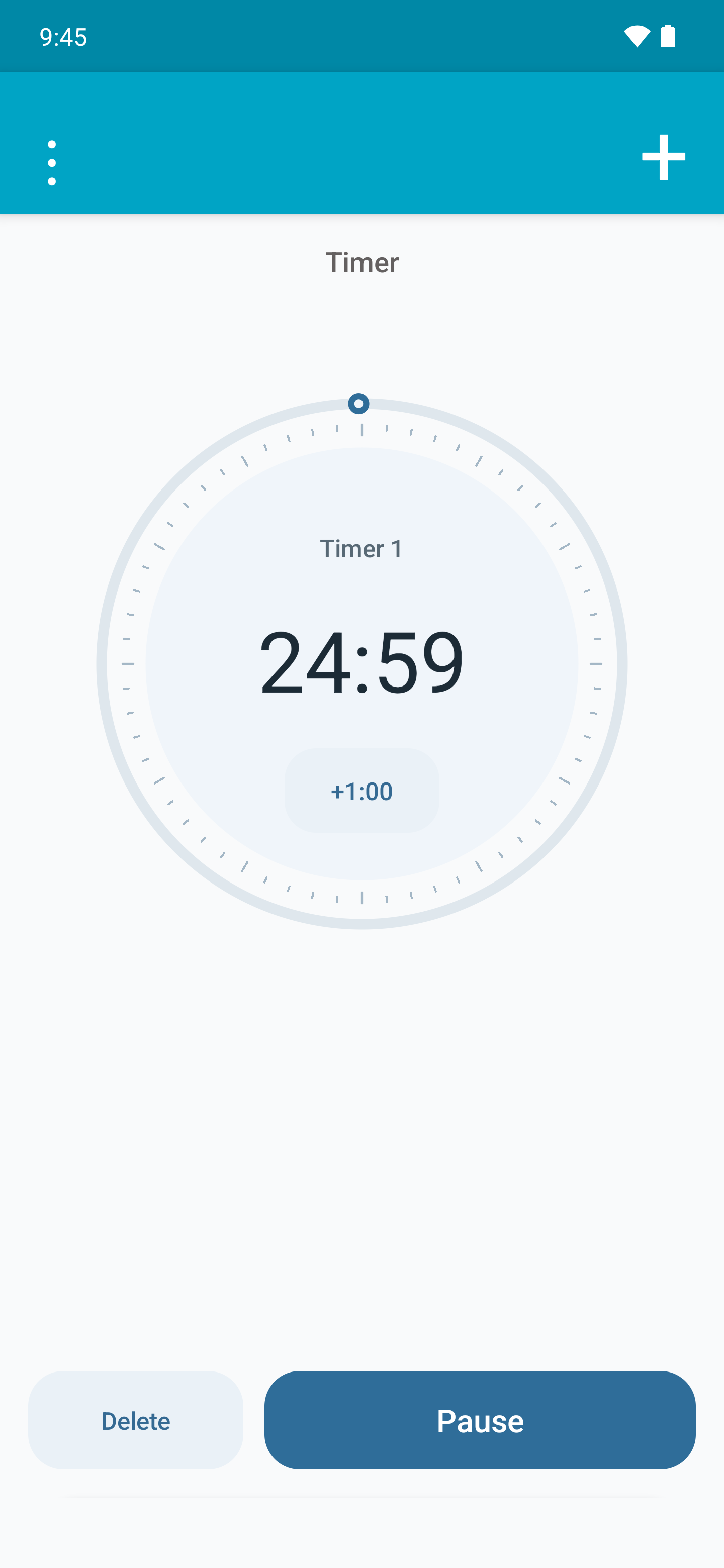
Mark each lap or set while the total time keeps running. See its duration and the cumulative time, and compare the current lap with the previous one. Pause the stopwatch to share your results.
Results are shared only when you choose a destination app.
How to use this function
See an analogue dial and digital time on the same screen, with seconds and the date. Choose a 12- or 24-hour format and a light or dark theme.
The time follows the clock and time zone configured in Android.
How to use this functionBefore calling someone abroad, check their time beside yours. Search the included city catalogue, save cities and arrange them as you like. City search works without Internet access too.
The app uses the time zones available on your device; keep the device updated.
How to use this function
Compare both themes and open real English app screenshots for a closer look.

Swipe to explore the screenshots
Clock saves your alarms, timers, cities and stopwatch times on your device. The app works without Internet permission.
Android may include this data in backups, depending on your system settings. The app does not send it to its own servers.
The app includes no advertising, analytics or tracking tools.
Use all five functions without creating an account.
Choose a destination app when you want to share your stopwatch times.
Yes. Clock is free, with no ads, in-app purchases or subscriptions.
Yes. Alarms, timers, the stopwatch and clocks work offline. City search uses a catalogue included in the app. Opening Google Play or help links, or sending email, involves external services.
Clock supports Android 7.0 and later. Some features require specific sensors, a flash or device permissions. Clock is an Android app.
Spanish, English, German, French, Italian and Portuguese. The app uses the language resources matching your Android configuration. This website is also available in all six languages.
Enable light detection for the alarm and choose dismiss or snooze. Your phone needs a compatible light sensor. Adjust sensitivity and test it in the room, with the phone in its intended position and the sensor uncovered. The response depends on ambient light, phone position and the change in light reaching the sensor. You can also choose to dismiss or snooze the alarm by shaking the phone, if it has an accelerometer.
Yes. Name each timer, keep several countdowns running and pause or resume one without stopping the others. For example, time several dishes separately.
Yes. Mark a lap after each lap or set: Clock shows its duration and the cumulative time. It also compares the current lap with the previous one and lets you share results while paused. You mark laps manually; this is not an automatic interval programme.
Yes. The world clock searches a catalogue included in the app. Save several cities and check their time alongside your local time without Internet access. Calculations use Android’s time zone rules, so keep your device updated.
In Android, check notifications, alarms and reminders, full-screen access where applicable, volume and battery restrictions. Also check Do Not Disturb and test an alarm on your device. Available settings vary by Android version and manufacturer.
Behind Clock
Adrián is the independent developer behind Clock. The app brings together alarms, timers, a stopwatch, a local clock and a world clock. You can read more about its author on his blog.
Visit Adrián’s blogThen add a kitchen timer, record your session’s laps or save the cities of people you call. All five functions are included.
For Android 7.0 and later. No ads or in-app purchases.